
Data Package#
Data Package is a standard to describe datasets and data files, developed by Open Knowledge Foundation.
Via the ckanext-datapackager extension, depositar allows users to download and upload a Data Package, which is a zip archive consisting of the following files:
A
datapackage.jsondescriptor that describes the dataset and resources. The descriptor is defined in the Data Package Profile.One or more data resources
Note
This feature is a work in progress. If you have comment or feedback, please contact us.
Features#
Download the dataset as a Data Package#
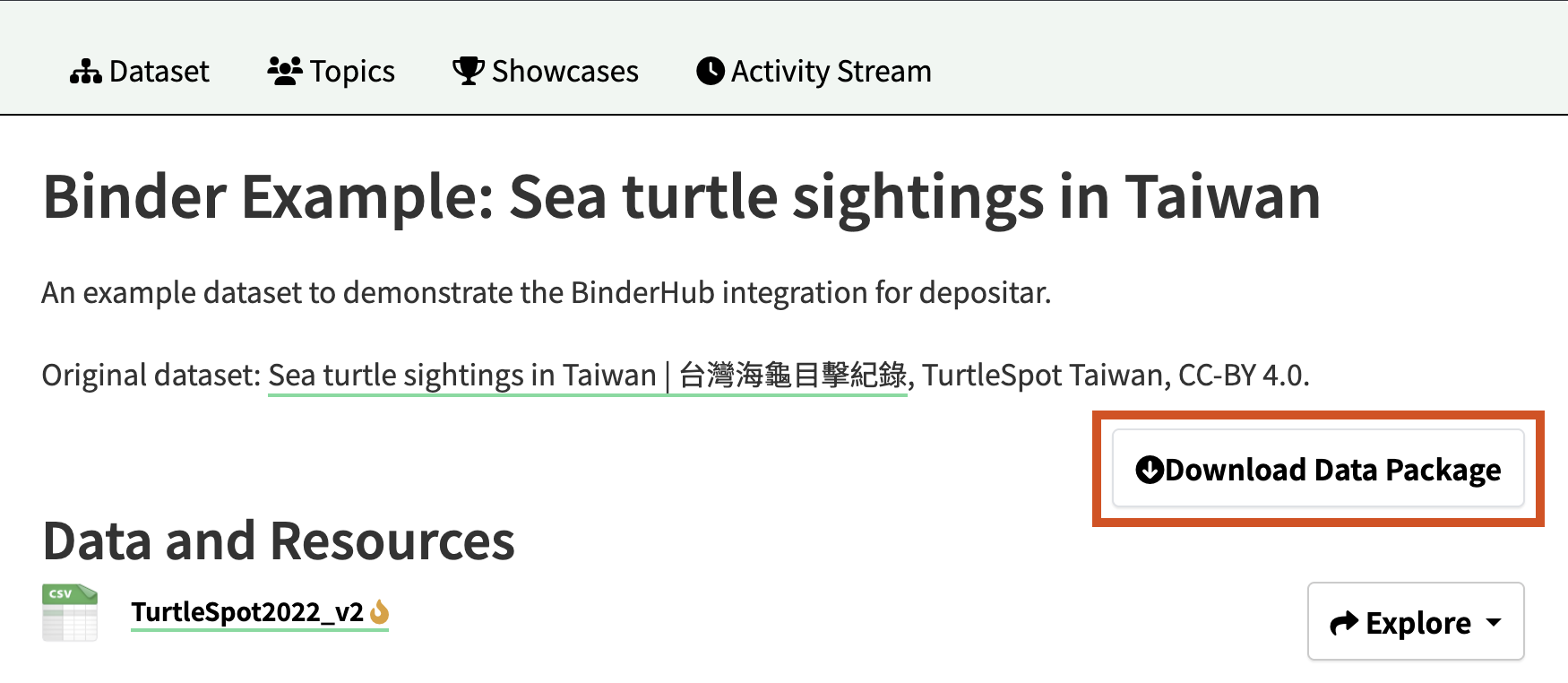
You can obtain the latest version of the Data Package for the dataset from the “Download Data Package” in the upper right corner of the dataset page:
Import the Data Package as a dataset#
Prepare a Data Package#
Write a
datapackage.jsondescriptor according to the Metadata Mapping and the following example:
Example: A complete datapackage.json including all properties (click to expand)
{
  "resources": [
    {
      "name": "resource_1",
      "path": "http://example.com",
      "title": "Resource 1",
      "description": "A longer description of the resource.",
      "encoding": "utf-8",
      "resource_crs": 4326,
      "format": "HTML"
    }
  ],
  "title": "Sample Dataset",
  "name": "sample-dataset",
  "description": "A longer description of the dataset.",
  "data_type": [
    "other"
  ],
  "wd_keywords": [
    "http://www.wikidata.org/entity/Q484000"
  ],
  "keywords": [
    "free_keyword_1",
    "free_keyword_2"
  ],
  "language": ["eng"],
  "remarks": "Some supplementary information for the dataset.",
  "temp_res": "daily",
  "start_time": "2024-01-01",
  "end_time": "2025-01-01",
  "spatial": {"type": "Polygon", "coordinates": [[[120.01,22.96], [120.01,23.12], [120.23,23.12], [120.23,22.96], [120.01,22.96]]]},
  "x_min": 120.01,
  "x_max": 120.23,
  "y_min": 22.96,
  "y_max": 23.12,
  "spatial_res": 1.0,
  "licenses": [
    {
      "name": "notspecified"
    }
  ],
  "contributors": [
    {
      "title": "Creator Name",
      "roles": [
        "creator"
      ]
    },
    {
      "title": "Joe Bloggs",
      "roles": [
        "contact"
      ],
      "email": "joe@example.com"
    }
  ],
  "process_step": "Steps of data generating process."
}
Example: A simple datapackage.json for import (click to expand)
{
  "resources": [
    {
      "name": "resource_1",
      "path": "http://example.com"
    }
  ],
  "name": "sample-dataset",
  "title": "Sample Dataset",
  "licenses": [
    {
      "name": "notspecified"
    }
  ],
  "contributors": [
    {
      "title": "Creator Name",
      "roles": [
        "creator"
      ]
    }
  ],
  "data_type": [
    "other"
  ]
}
If you want to upload the data file(s) to
depositar, please compress the data file(s) anddatapackage.jsoninto a single zip file. Specify the path of each data file relative to the top-level directory within thepathattribute of each resource found in theresourcesproperty ofdatapackage.json. Note that the data file(s) must still adhere to the System Limitation.
Note
The
datapackage.jsonmust be placed in the top-level directory of the zip file.The
datapackage.jsonis a JSON file; you can author it using any text editor (e.g., Visual Studio Code) or an online tool like JSON Editor Online.The Data Package Validator online service allows you to validate the
datapackage.jsonfile.A
datapackage.jsonfile without aresourcesproperty will not be accepted.A
datapackage.jsonfile withoutcontributor.titleandsource.titleproperties will not be accepted because frictionless-py only supports the Data Package v1 specification.The following required fields in
depositarwill be set to default values if missing:URL: dataset-
uuid, whereuuidis a random 8-character alphanumeric stringLicense: License Not Specified
Creator: unnamed creators
Data Type: Other
Import the Data Package#
You can access the “Import Data Package” page in two ways:
From this, above the search box, select the “Import Data Package” button.
Then select the page for the project that should own your new dataset. Provided that you are a member of this project, you can now select the “Import Data Package” button above the search box.
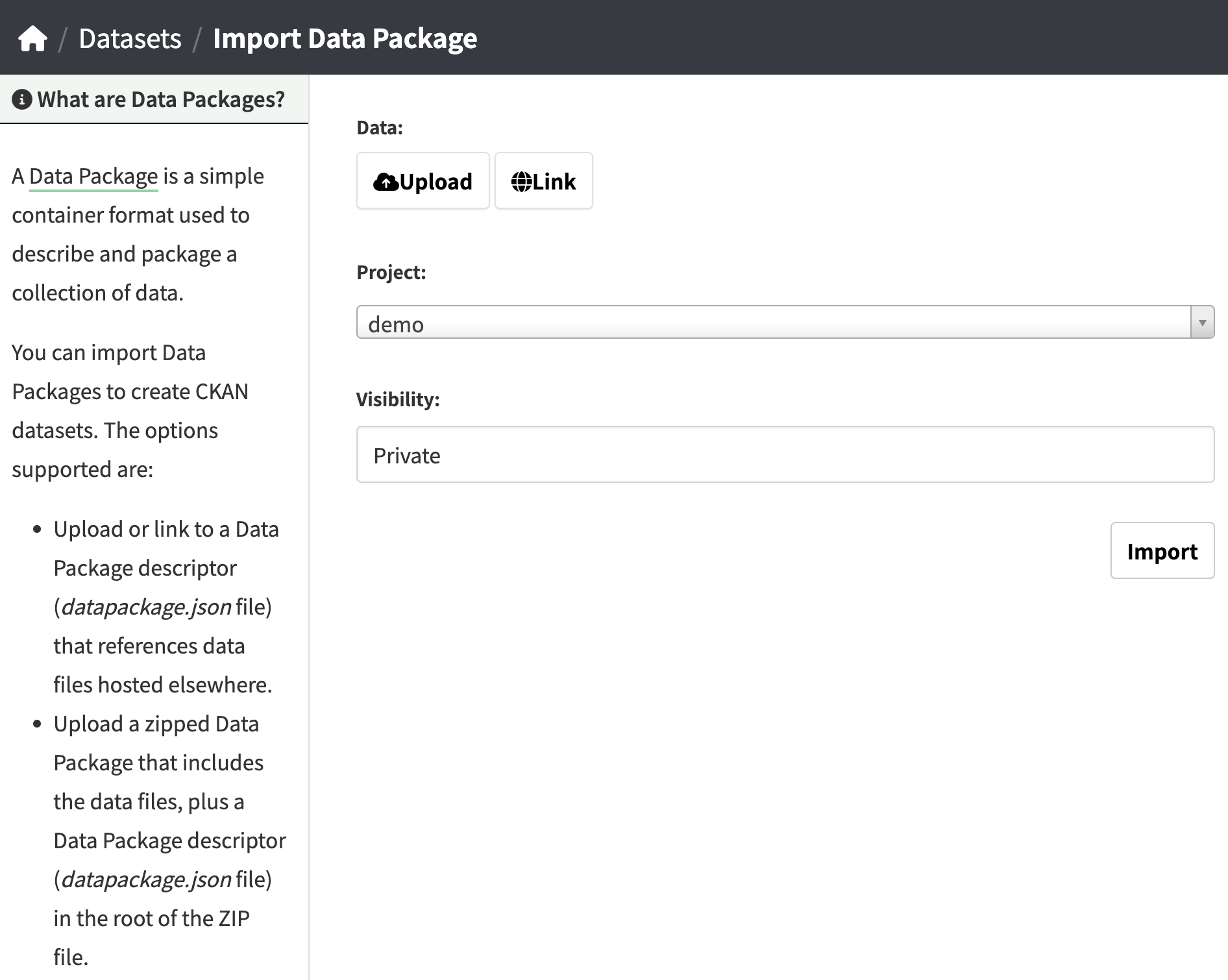
Select the project that should own your new dataset, decide the visibility (Private/Public) of the dataset, then upload the Data Package:
Upload the datapackage.json in the “Import Data Package” page.
Upload the zip file in the “Import Data Package” page.
Note
If the fields converted from the Data Package properties exceed the ranges listed in the Metadata, the import will be terminated and an error will displayed.
Automatic Data Package Generation#
When a dataset is created or edited, and the total size of the resources in the dataset is 50 MB or less, a Data Package will be generated automatically and uploaded as a resource for the dataset:
The Data Package file is named
datapackage_YYYY-MM-DD_HH-MM-SS_dataset-name.zip. The timestamp indicates when the package was created, anddataset-namecorresponds to the string following/dataset/in the dataset URL.The Data Package resource is NOT LISTED in the resource list on the dataset page and the edit dataset page.
The Data Package resource is LISTED in the API results, RDF Serializations, and Binder. You need to exclude the Data Package resource when calculating the resource count via the API.
The Data Package resource only includes data files uploaded to
depositar. External URLs will only be listed in thedatapackage.json, and any resource without a URL will not be included.The Data Package resource will not be updated (and the existing one will be deleted) if the dataset’s total resource size exceeds 50 MB after editing, or if all resources lack a URL.
Note
Automatic Data Package generation is a background task. If the “Download Data Package” button does not appear, please ensure the above conditions are met and refresh the dataset page.
API Methods#
Update the Data Package#
To update the Data Package, run the command below:
curl -X POST \
     -H 'Authorization: YOUR_API_TOKEN' \
     -d '{"id": "DATASET_ID"}' \
     https://data.depositar.io/api/action/datapackage_update
Note
The Data Package will be generated automatically when the dataset is created or edited, and generally does not require manual updating.
The dataset must include at least one resource with URL, and the dataset’s total resource size must be 50 MB or less.
Please refer to the Data API to get an API token.
Import the Data Package#
To import a Data Package as a depositar dataset, run the commands below:
For uploading a local Data Package:
curl -X POST \
     -H 'Authorization: YOUR_API_TOKEN' \
     -F 'owner_org=project_id' \
     -F 'upload=@/path/to/datapackage.json/or/file.zip' \
     https://data.depositar.io/api/action/package_create_from_datapackage
For uploading a remote Data Package:
curl -X POST \
     -H 'Authorization: YOUR_API_TOKEN' \
     -d '{"url": "https://link.to/datapackage.json", "owner_org": project_id}' \
     https://data.depositar.io/api/action/package_create_from_datapackage